
DragonWriter
Export story
You can export your story into various different formats. Some formats support more things than others.
On the story overview page you can export a the story to a different format by tapping the Export link in the top right.
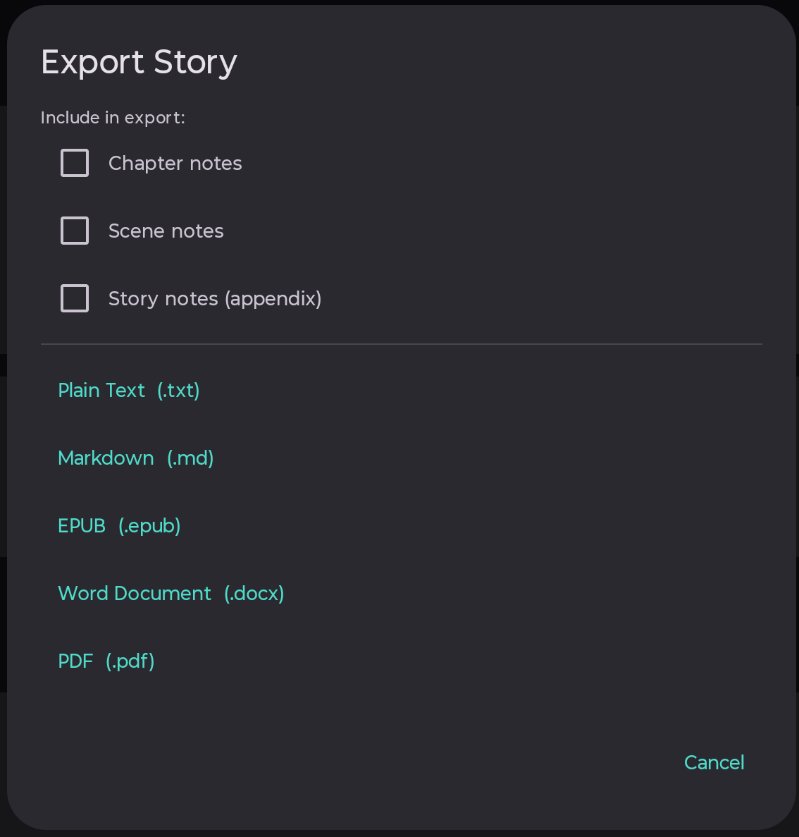
This will show a popup asking which format you want to export to:
Options
The following select options include in the export:
- Chapter notes - included as notes at the start of chapter.
- Scene notes - included as notes at the start of scene.
- Story notes - included as appendix at the end of the story.
Any combination of these can be selected.
-
Plain text
What it says on the tin. You’ll get a plain text file of your entire story.
This format does not support the exporting of any images added to the story.
-
Markdown
Your story exported in Markdown format.
This format does not support the exporting of any images added to the story.
-
EPUB
The story exported as EPUB (eBook) format. If you have uploaded a cover, this will be used as the eBook cover. If you haven’t, the cover will be a plain colour cover with the story title and author.
Images added into scenes will be included.
-
Word document
Your story exported as a Word document (.docx).
Images added into scenes will be included. Your cover will not.
-
PDF
Your story exported as a PDF.
Images added into scenes will be included. Your cover is included.
Published 3 July 2026 · Last updated 16 July 2026